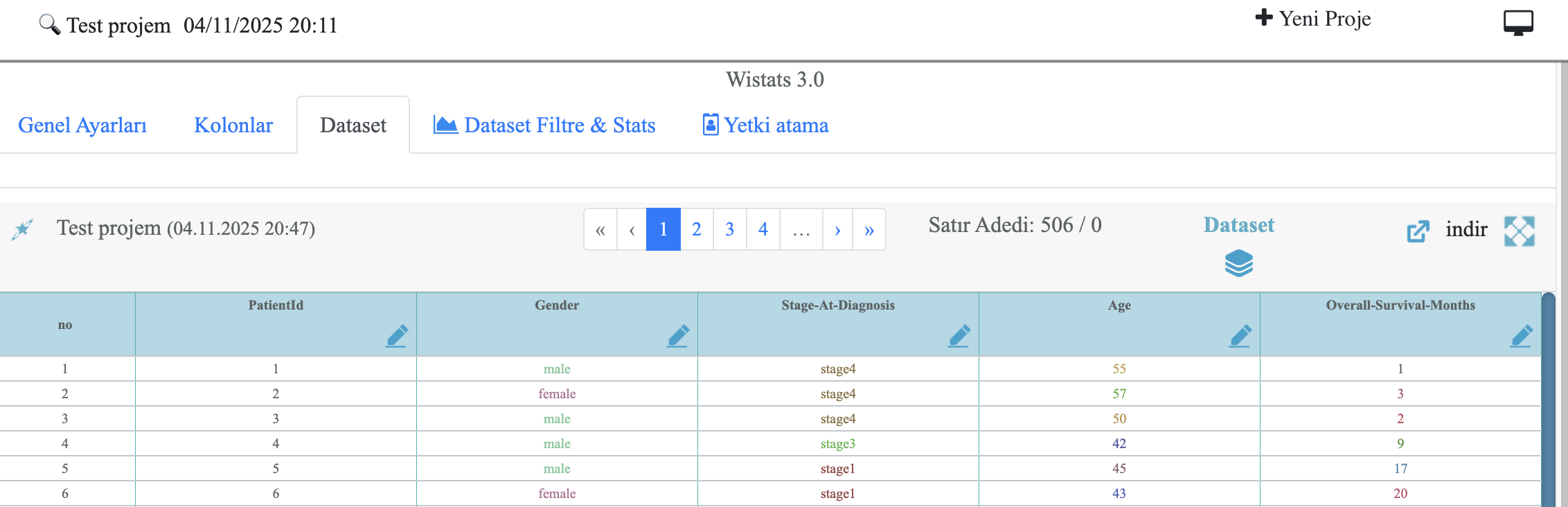
About Wistats
What is Wistats?
Wistats is an advanced web-based analytics application developed within the WisdomEra WAI platform. It allows researchers, clinicians, and academicians to upload their own datasets, perform statistical analyses, and automatically generate scientific text outputs for publication-ready manuscripts.
Built with integrated Python-based libraries (SciPy, scikit-learn, statsmodels), Wistats automatically selects appropriate statistical tests and produces bilingual report texts in English and Turkish.
Core Features
- Automatic selection of statistical tests (parametric / non-parametric)
- Bilingual (EN/TR) scientific text generation
- Rule-based column creation
- Mathematical and logical formula editor
- Descriptive and comparative result summaries
- Project-based credit management and data privacy
Who Can Use Wistats?
Wistats is designed for medical researchers, graduate students, statisticians, and data scientists seeking a fast and reliable way to convert raw datasets into publication-ready analyses. It also supports institutional integrations with hospitals and universities for collaborative studies.
Wistats Institutional Solution
Wistats Enterprise Solution is an open-source dataset sharing platform developed for universities and research institutions.
This infrastructure enables researchers to securely upload and share their datasets under appropriate licenses.
The platform supports transparent data management, citation tracking, and data sharing practices aligned with ethical research standards.
Each uploaded dataset is automatically integrated into the ODC licensing framework, making it suitable for scientific reuse and open collaboration.
- Datasets from research projects aiming to create specialized databases can be uploaded. This increases visibility and citation potential for both the dataset and its associated publication.
- Datasets can be uploaded to provide a reference link during the journal submission process, meeting editorial expectations for data transparency and reliability.
- Researchers can perform new analyses or propose alternative perspectives using existing datasets. In such cases, both the dataset and the source publication should be cited.
- Datasets can be shared to connect with other researchers working on similar topics or to initiate collaborative projects, fostering interaction and cooperation within specific academic fields.
Login & 2FA (Two-Factor Authentication)
1. Login Screen
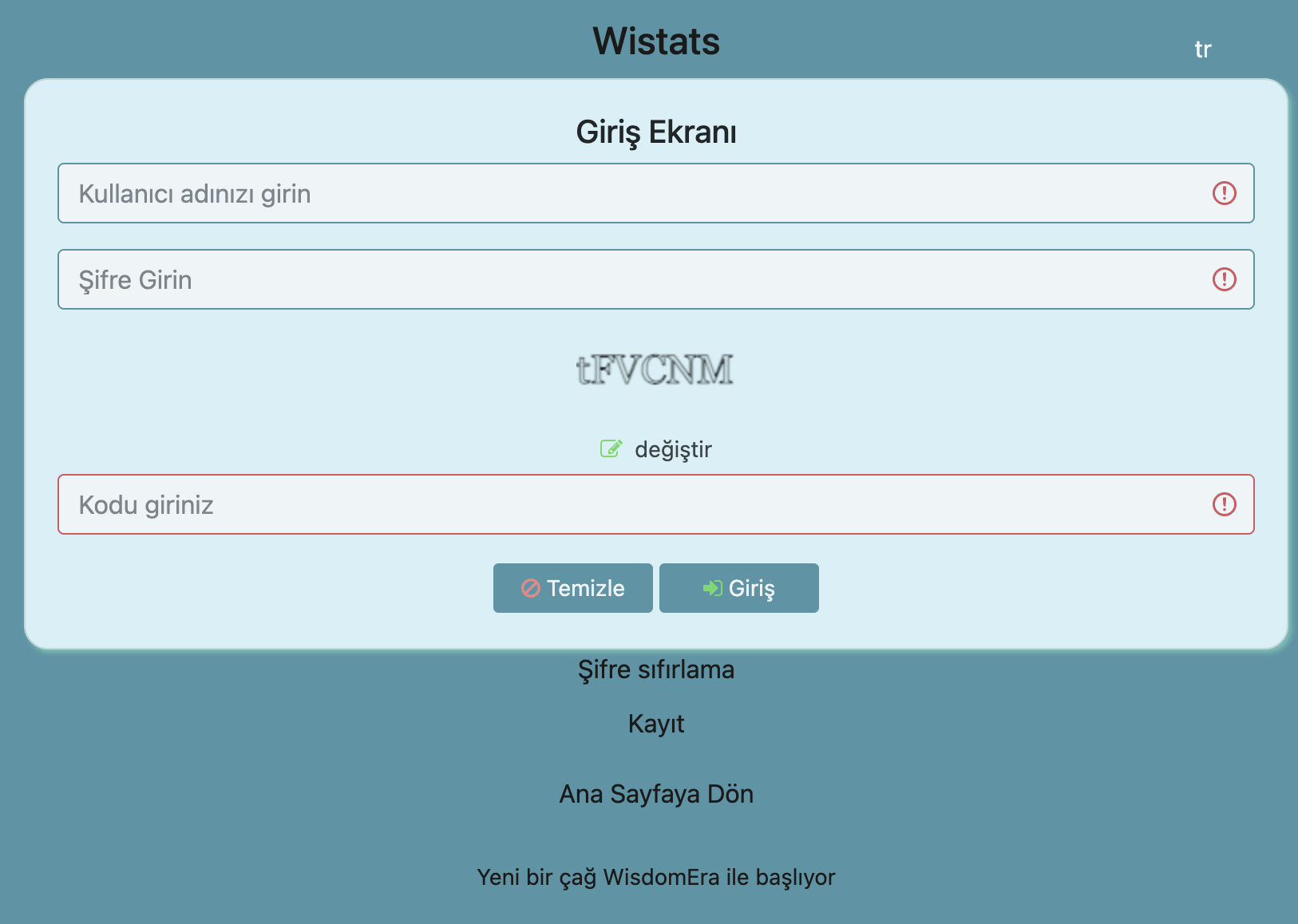
To access Wistats, go to wistats.wisdomera.io/login. Enter your username and password, fill in the Verification Code (CAPTCHA), and click the Login button.
2. Two-Factor Authentication (2FA)
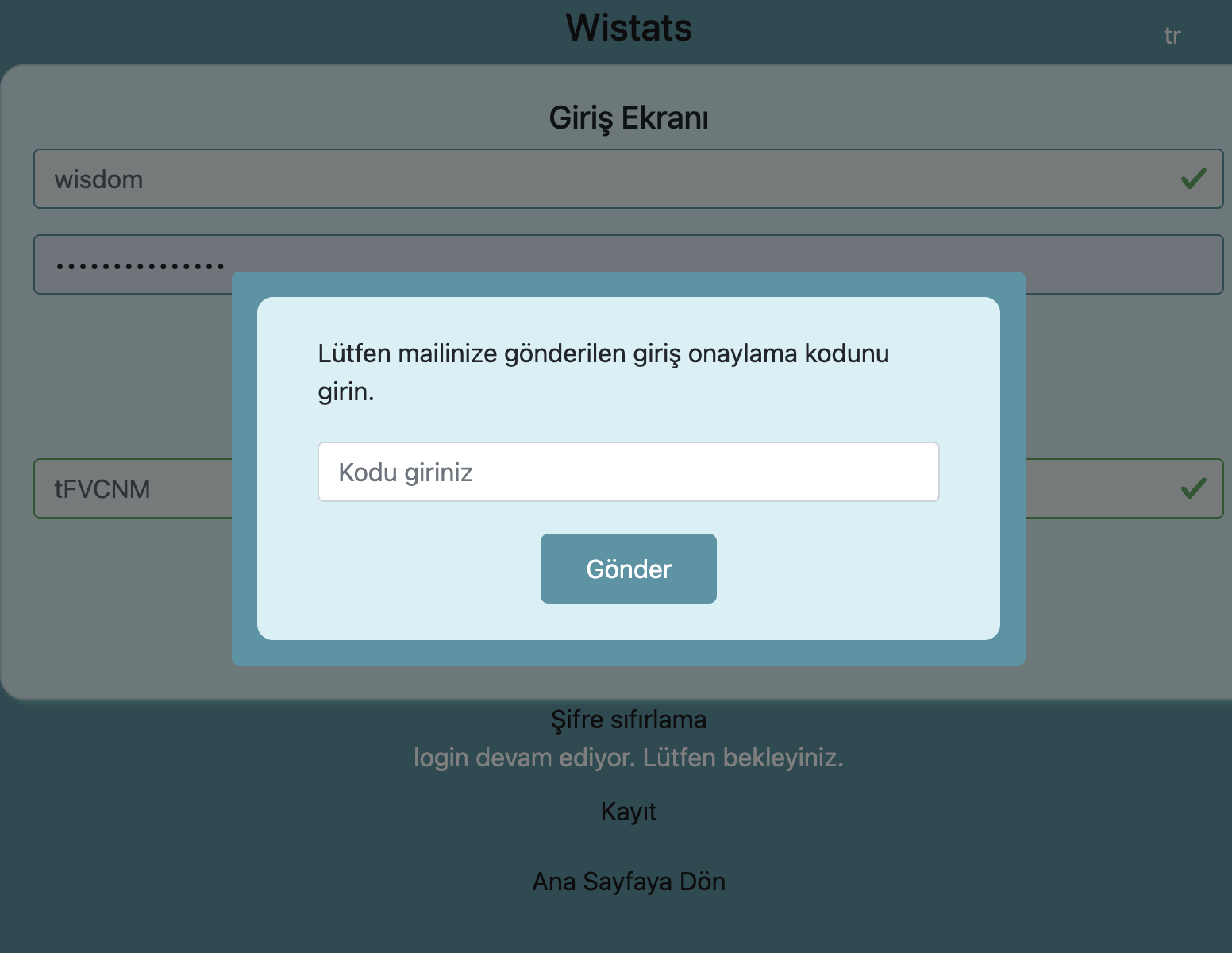
After logging in, a 6-digit verification code is sent to your registered email address. Enter the 2FA code in the input field and click Submit to complete verification. The 2FA code is valid for 5 minutes only. If the CAPTCHA is unreadable, click the refresh icon to reload.
3. Registration
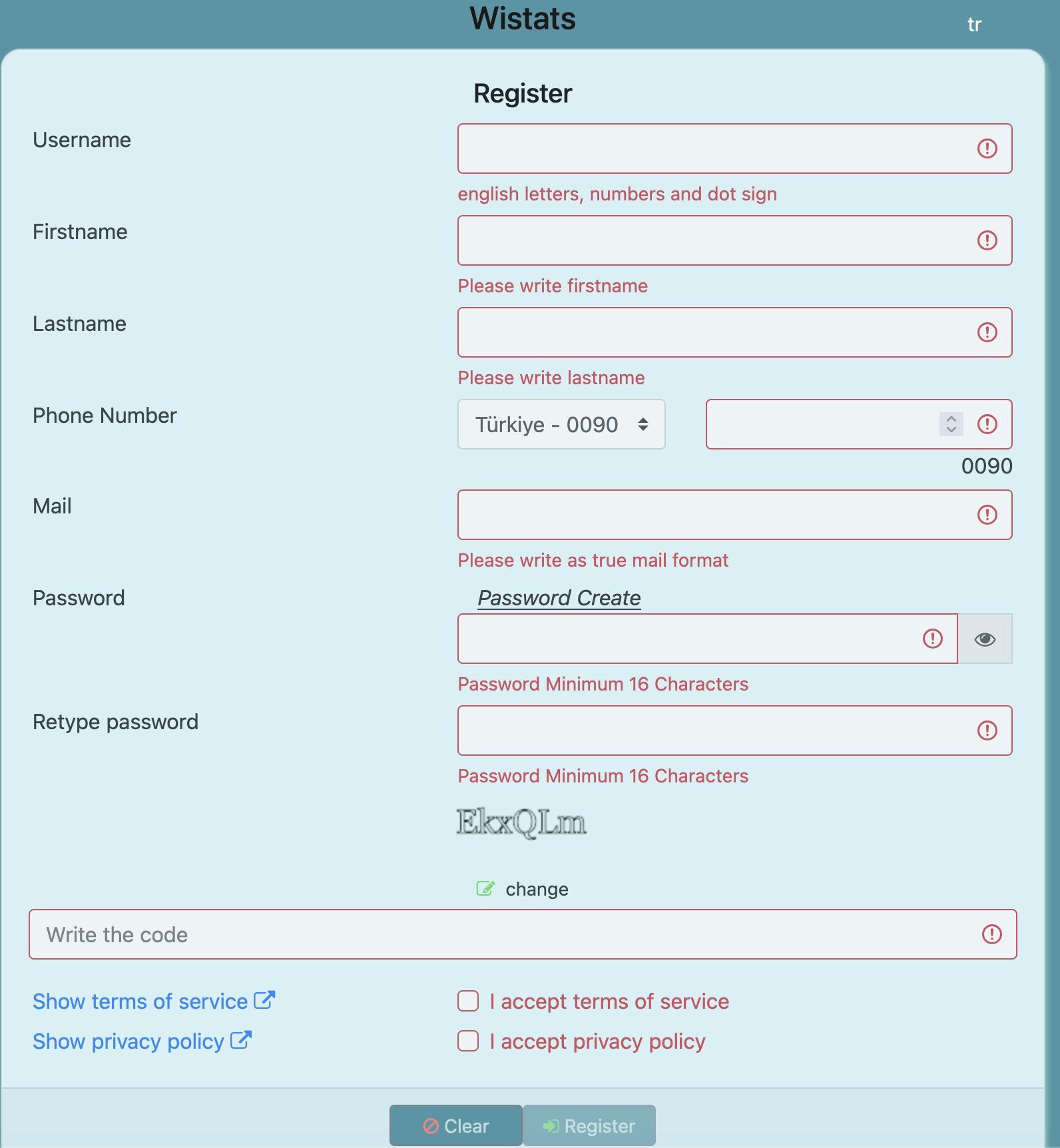
If you don’t have an account, visit the Register page and fill in your details.
Creating a New Project and Uploading Excel Data
1. Add a New Project
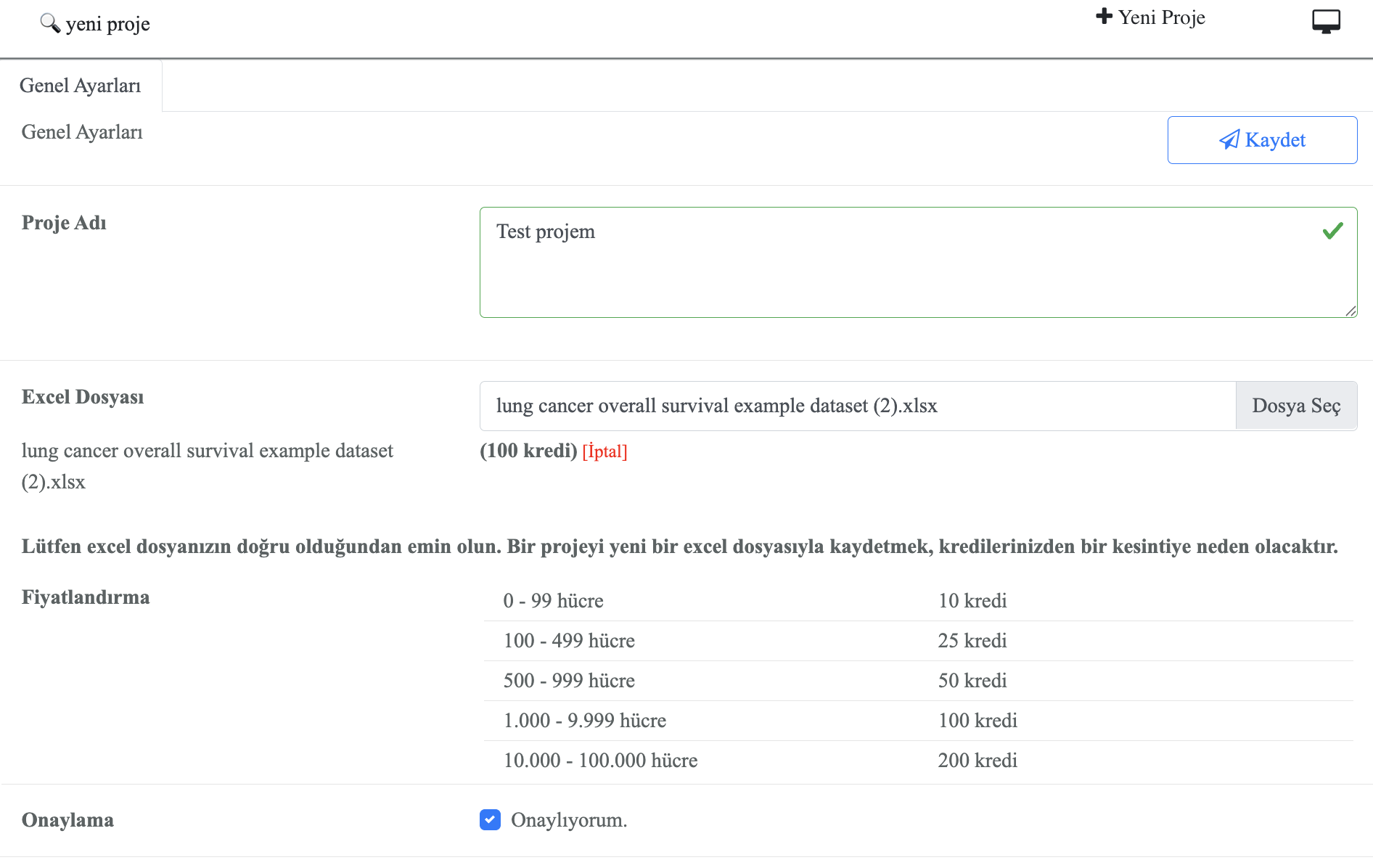
Click on the Projects menu and select New Project. Enter your project name, description, and tags to categorize your dataset. The project name will be used as a reference across all data views.
2. Fill in Project Details
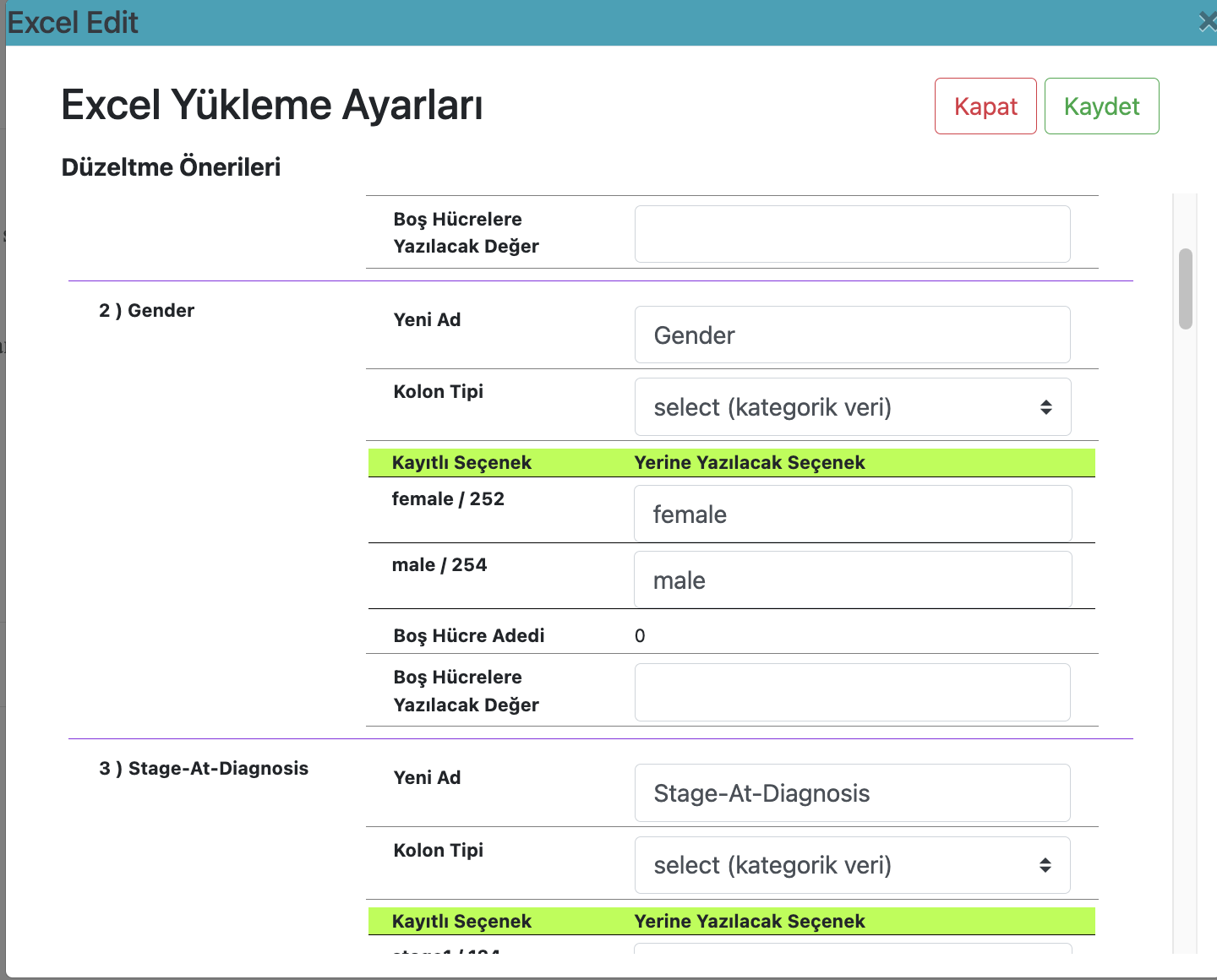
3. Upload Excel File
Click Upload Dataset and select your Excel (.xlsx) file. The system will automatically detect column headers and data types. After upload, you can preview the dataset and adjust column formats if necessary.
4. Credit Usage
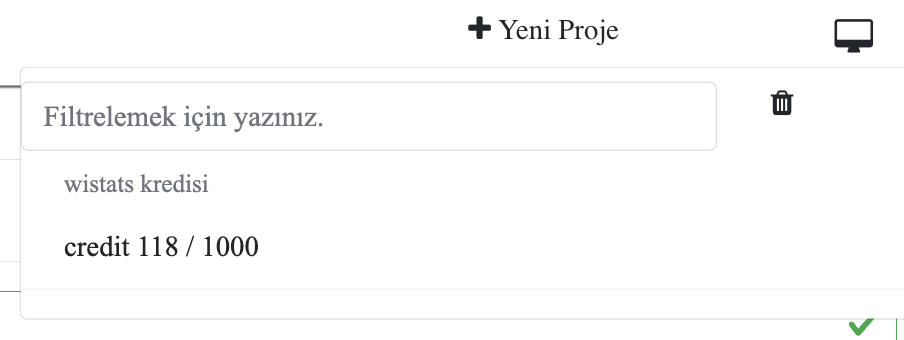
Each project creation and dataset upload consumes system credits. Your available credit balance is displayed in the top-right corner. Additional credits can be purchased via the Shop menu.
Column List and Functions
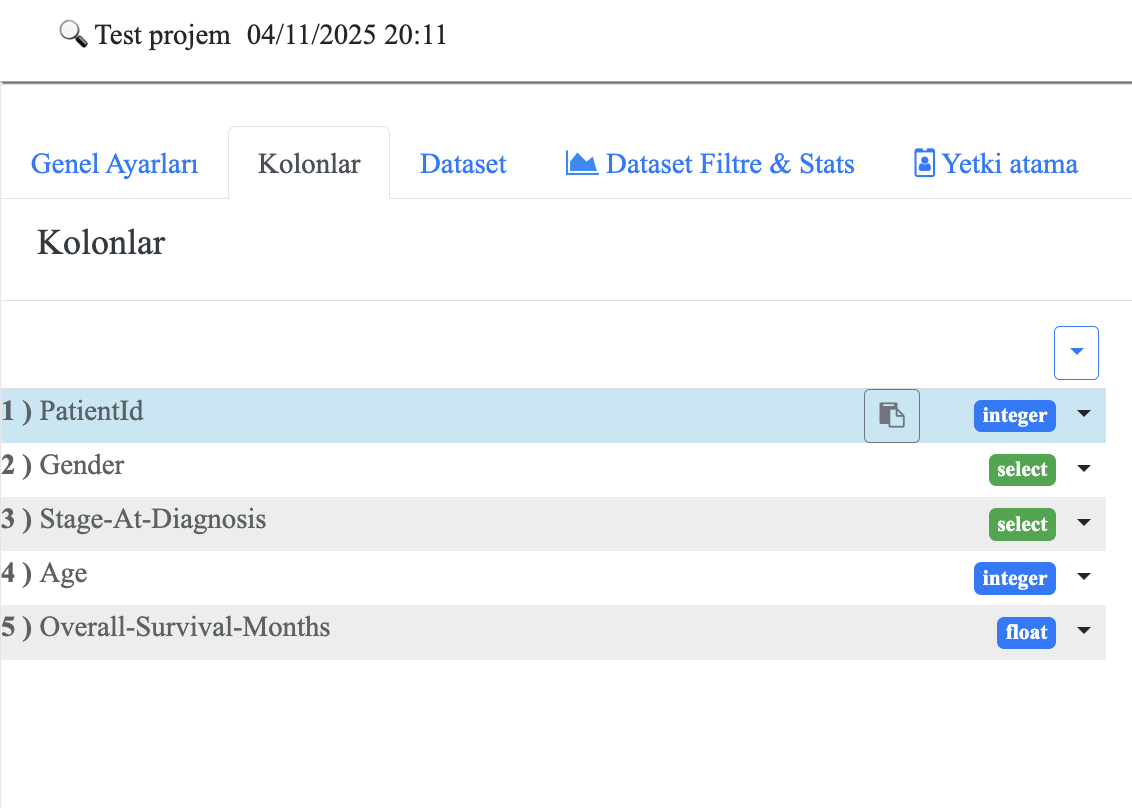
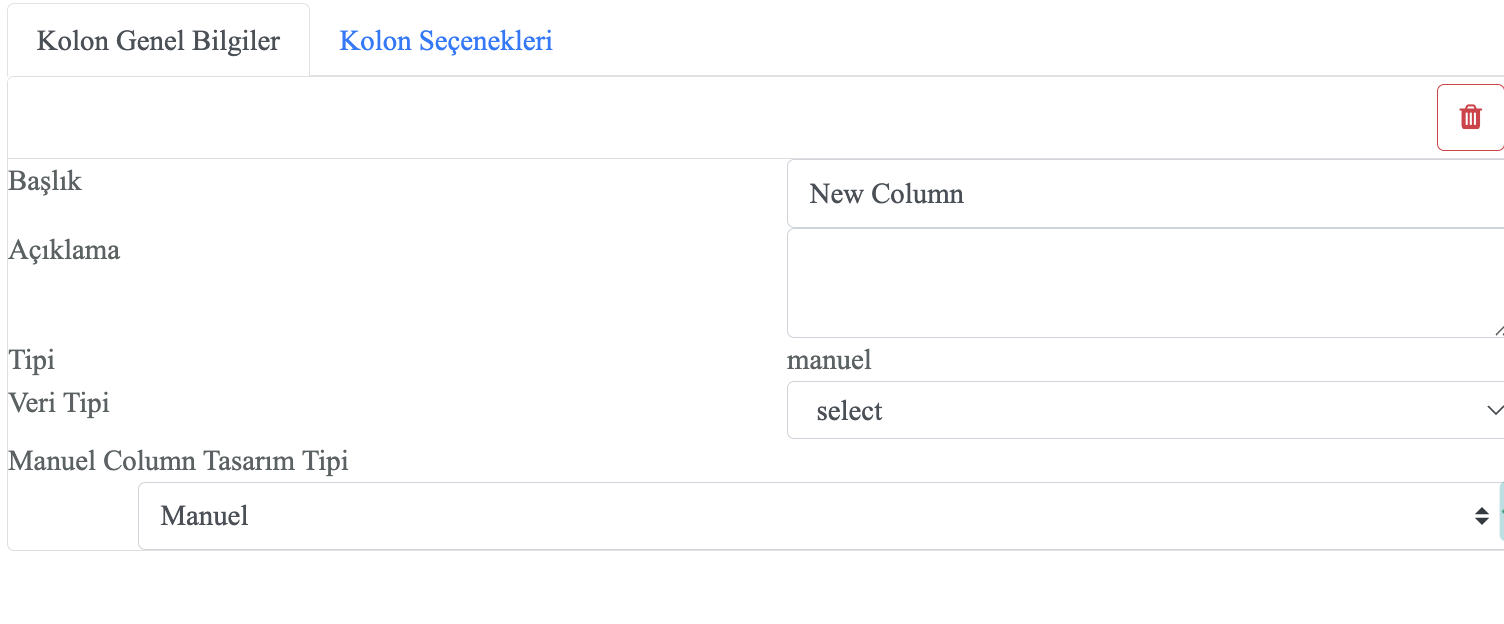
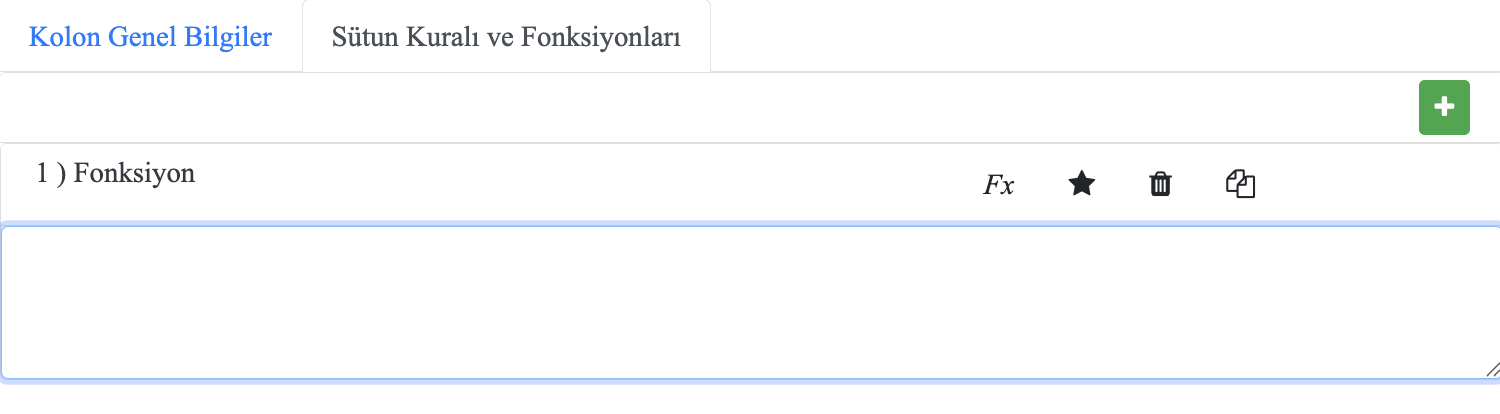
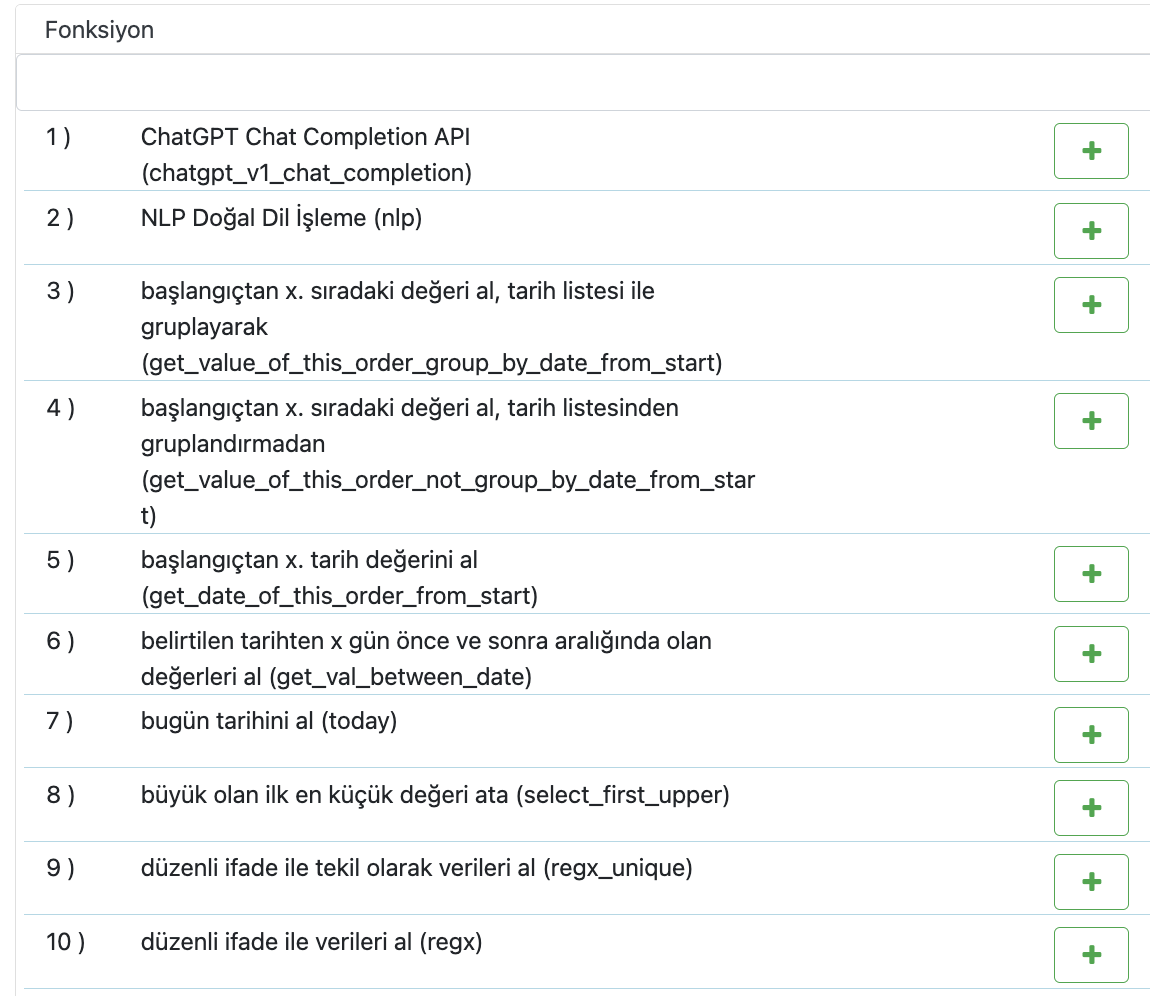
The Column List screen displays all variable names, data types, and derived fields in your dataset. You can click any column name to access details and apply transformations.
Projects Menu and Tools
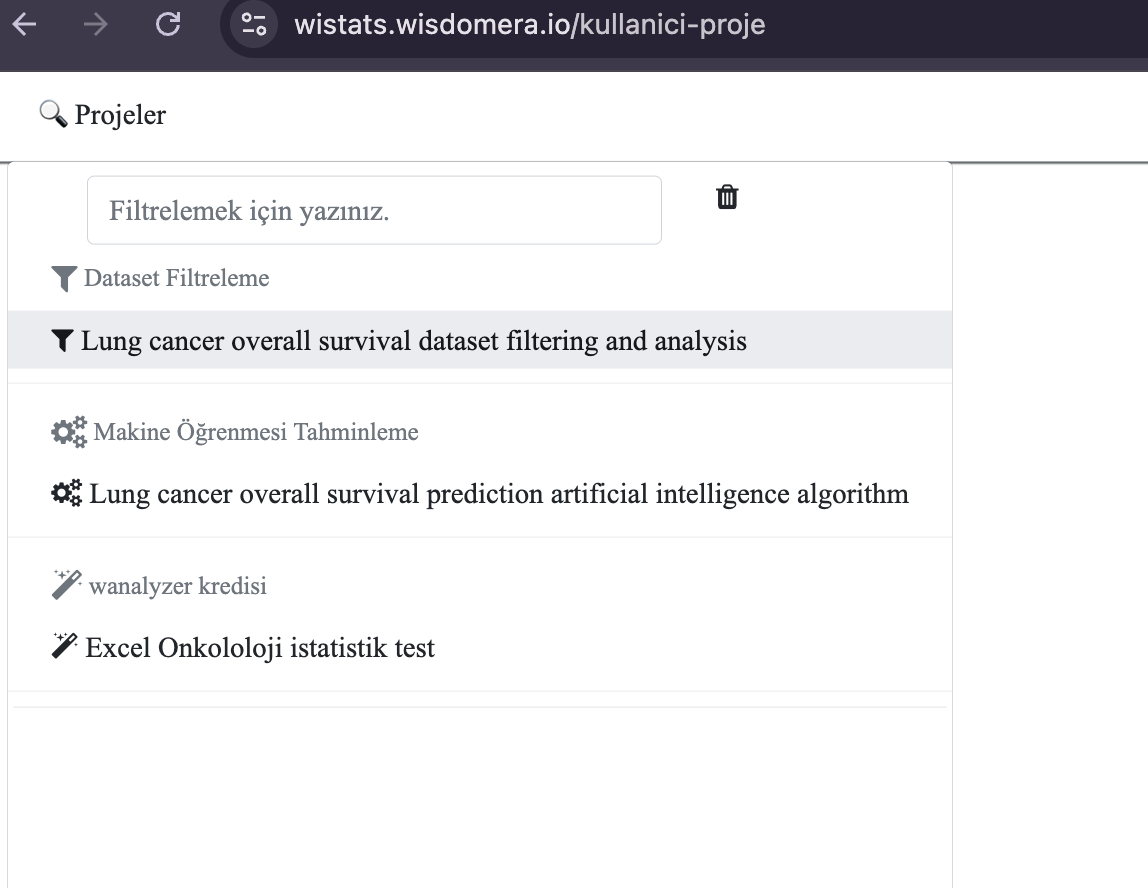
The Projects Menu provides access to all created projects. You can switch between projects, create new ones, or access project-level analytics. The menu is located in the left sidebar for quick navigation.
Artificial Intelligence and NLP Functions
chatgpt_v1_chat_completion()
Function Description: Uses the ChatGPT API to analyze text in dataset cells and produce AI-generated responses or classifications. This allows automated text evaluation directly within Wistats.
Example Usage:chatgpt_v1_chat_completion('{"model": "gpt-3.5-turbo", "messages": [{"role": "user", "content": "Mark negative statements as yes"}], "temperature": 0.7, "apikey": "xxxxxxx" }', [col1])
Date and Time Functions
time_format()
Function Description: Converts the date information in a cell into a desired format pattern, such as %d.%m.%Y %H:%M. This is useful for unifying different timestamp styles across datasets.
Example Usage:time_format('%d.%m.%Y %H:%M', [col3])
get_min_date()
Function Description: Retrieves the earliest (minimum) date value from a multi-valued cell. Commonly used to determine the start of a time period in a dataset.
Example Usage:get_min_date(col1)
get_max_date()
Function Description: Retrieves the most recent (maximum) date value from a multi-valued cell, useful for determining the last update or end of a period.
Example Usage:get_max_date(col1)
time_dif_months()
Function Description: Calculates the time difference between two dates in months, useful for long-term comparisons such as follow-up intervals.
Example Usage:time_dif_months(col1, col2)
time_dif_years()
Function Description: Calculates the difference between two dates in years. This is especially relevant for age or longitudinal research analyses.
Example Usage:time_dif_years(birth_date, event_date)
now()
Function Description: Returns the current date and time value. It’s often used for timestamping data operations.
Example Usage:now()
Statistical Functions
mean()
Function Description: Calculates the arithmetic mean (average) of numerical values in a multi-valued cell. This is useful for summarizing central tendency.
Example Usage:mean(col1)
median()
Function Description: Finds the median (middle) value of a dataset.
Example Usage:median(col2)
min()
Function Description: Returns the minimum (smallest) value from a cell or across selected columns.
Example Usage:min(col1)
max()
Function Description: Returns the maximum (largest) value from a cell or across selected columns.
Example Usage:max(col1)
sum_cell_values()
Function Description: Sums all numerical values within a cell.
Example Usage:sum_cell_values([col1], [col2])
round()
Function Description: Rounds a decimal value to the nearest whole number. It can be used for cleaning or simplifying numerical results.
Example Usage:round(col1)
upper_round()
Function Description: Rounds a number up to the nearest multiple of a specified value.
Example Usage:upper_round(col1, 10)
lower_round()
Function Description: Rounds a number down to the nearest multiple of a specified value.
Example Usage:lower_round(col1, 10)
closer_round()
Function Description: Rounds a number to the nearest multiple of a specified base, either up or down depending on which is closer.
Example Usage:closer_round(col1, 10)
Regex and Text Processing Functions
regx()
Function Description: Applies a regular expression (regex) pattern to the text within a dataset cell and retrieves all matching substrings.
Example Usage:regx('^e.*v', [col1])
regx_unique()
Function Description: Uses regex to extract unique (non-duplicated) matches from the cell text, ensuring each pattern result appears only once.
Example Usage:regx_unique('^e.*v', [col1])
regx_multiplex()
Function Description: Applies regex on text and returns multiple matching results as a list. Useful for parsing structured or repetitive textual data.
Example Usage:regx_multiplex('^e.*v', [col1])
include()
Function Description: Checks whether the value of one column is included in another column. Returns defined outputs such as ‘yes’ or ‘no’.
Example Usage:include([col1], [col2], 'yes', 'no')
unique_data_list()
Function Description: Extracts unique (distinct) text values from a multi-valued cell, removing duplicates.
Example Usage:unique_data_list(col1)
Order and Date-Based Functions
get_value_of_this_order_group_by_date_from_start()
Function Description: Retrieves the value at a specified order (x) from the start of a date-grouped dataset. The function groups records by date and returns the corresponding x-th value.
Example Usage:get_value_of_this_order_group_by_date_from_start([col1], 2)
get_value_of_this_order_not_group_by_date_from_start()
Function Description: Retrieves the x-th value from the start without grouping by date. Useful when sequence order is more relevant than timestamp.
Example Usage:get_value_of_this_order_not_group_by_date_from_start([col1], 2)
get_date_of_this_order_from_start()
Function Description: Returns the date corresponding to the x-th record from the beginning of a list of dates, where dates are sorted in ascending order.
Example Usage:get_date_of_this_order_from_start([col1], 1)
get_value_of_this_order_group_by_date_from_end()
Function Description: Retrieves the value at a specified order (x) from the end of a date-grouped dataset. This allows you to analyze most recent occurrences.
Example Usage:get_value_of_this_order_group_by_date_from_end([col1], 2)
get_value_of_this_order_not_group_by_date_from_end()
Function Description: Retrieves the x-th value from the end of a list without grouping by date.
Example Usage:get_value_of_this_order_not_group_by_date_from_end([col1], 2)
get_date_of_this_order_from_end()
Function Description: Returns the date corresponding to the x-th record from the end of a list of dates (descending order).
Example Usage:get_date_of_this_order_from_end([col1], 1)
Date Components and Time Parsing Functions
year_of_date()
Function Description: Extracts the year (YYYY) value from a given date.
Example Usage:year_of_date(col1)
month_of_date_as_numeric()
Function Description: Returns the month of a given date as a numerical value (1–12).
Example Usage:month_of_date_as_numeric(col1)
month_of_date_as_text()
Function Description: Returns the month name (e.g., January, February) for a given date.
Example Usage:month_of_date_as_text(col1)
day_of_date()
Function Description: Extracts the day (1–31) of a given date.
Example Usage:day_of_date(col1)
day_of_date_as_text()
Function Description: Returns the day of the week (e.g., Monday, Tuesday) as text.
Example Usage:day_of_date_as_text(col1)
hour_of_date()
Function Description: Extracts the hour (0–23) from a datetime value.
Example Usage:hour_of_date(col1)
year_month_day()
Function Description: Returns the date formatted as 'YYYY-MM-DD'.
Example Usage:year_month_day(col1)
Time Difference and Date Calculation Functions
time_dif_days()
Function Description: Calculates the difference between two dates in days.
Example Usage:time_dif_days(date1, date2)
time_dif_hours()
Function Description: Calculates the difference between two datetime values in hours.
Example Usage:time_dif_hours(date1, date2)
time_dif_minutes()
Function Description: Calculates the time difference between two datetime values in minutes.
Example Usage:time_dif_minutes(date1, date2)
time_dif_seconds()
Function Description: Calculates the time difference between two datetime values in seconds.
Example Usage:time_dif_seconds(date1, date2)
today()
Function Description: Returns today’s date in the system’s local time zone.
Example Usage:today()
Numeric Selection and Comparison Functions
select_first_upper()
Function Description: Returns the smallest number that is greater than a given value among specified options. Useful for threshold-based logic or classification.
Example Usage:select_first_upper(col1, '60', '40', '50', '80')
Cell Value and Counting Functions
count_of()
Function Description: Counts the number of elements or values contained within a cell. This is useful when cells contain multiple entries separated by delimiters.
Example Usage:count_of(col1)
cell_value()
Function Description: Retrieves the raw or computed value of a given cell for use in further calculations or transformations.
Example Usage:cell_value(col1)
Data Visualization and Charts
Data Export and Sharing